







- Top >
keiomobile2 password authentication method
Android 11-14
This manual is based on Android 11 (moto g8). Some details may differ depending on version, devices and environment.
-
Tap [Settings].

-
Tap [Network & internet] - [Wi-Fi].
Turn Wi-Fi on if it is [Wi-Fi OFF].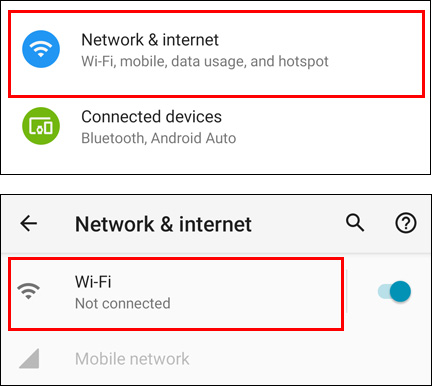
-
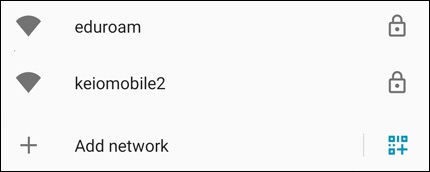
Select [keiomobile2] or [eduroam].
-
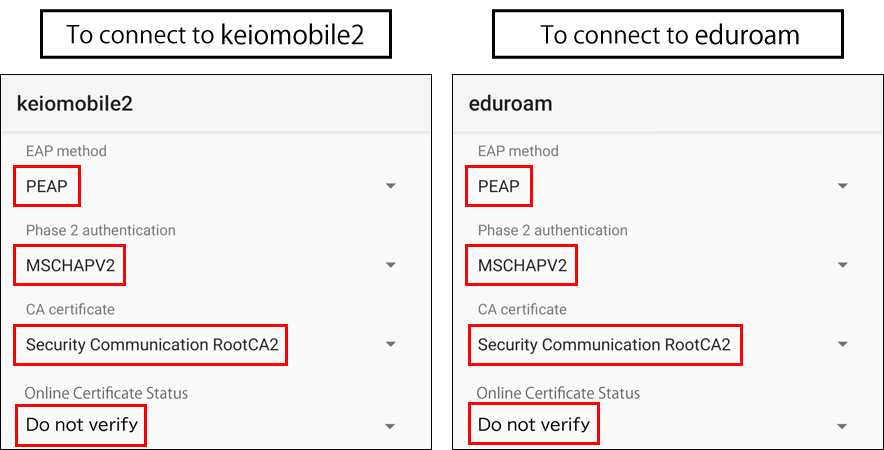
To connect to keiomobile2, after connecting to [keiomobile2], enter the following setting.
To connect to eduroam, after connecting to [eduroam], enter the following setting.
EAP method: PEAP
Phase2 authentication: MSCHAPV2
CA certificate: Security Communication RootCA2
※If the TLS version is displayed, select Ver.1.2.
※If CA certificate cannot be selected, see Download Root Certificate
Online Certificate Status: Request certificate status
※If you cannot connect by selecting "Request certificate status," you may be able to connect by selecting "Do not verify," but this carries security risks and is not recommended.
-
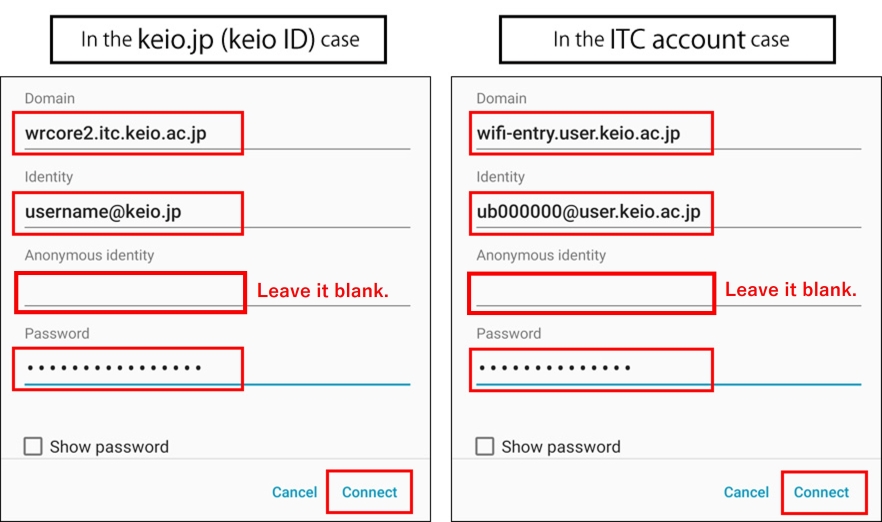
Enter the Domain, your ID and Password (except Anonymous ID), then tap [Connect].
In the keio.jp(Keio ID) case "wrcore2.itc.keio.ac.jp"
In the ITC account case "wifi-entry.user.keio.ac.jp"
In the keio.jp (Keio ID) case, enter “Wi-Fi user name” and “Wi-Fi password”.
In the ITC account case, enter “Your ITC account@user.keio.ac.jp” and “Wi-Fi connection password at ITC account”.
Leave [Anonymous ID] blank. If any characters such as "anonymous" are appeared in [Anonymous ID], please delete them.
-
This completes the Wi-Fi connection process. If you have successfully connected, no further work is required.
Download Root Certificate
-
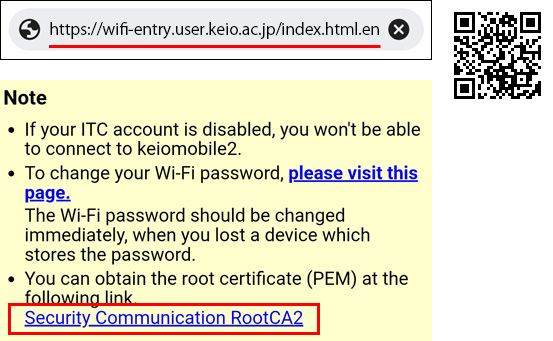
Start up the web browser and go to https://wifi-entry.user.keio.ac.jp/index.html.en
※You can also access it via QR code.
“Generate Wi-Fi password for keiomobile2” page shows up, then tap the link “Seccurity Communication RootCA2” to download the certificate.
※
-
In [Install CA certificates in Settings] window, tap [Close].
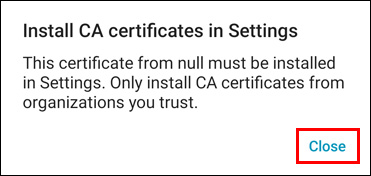
-
Tap [Settings] - [Security] - [Encryption & credentials].
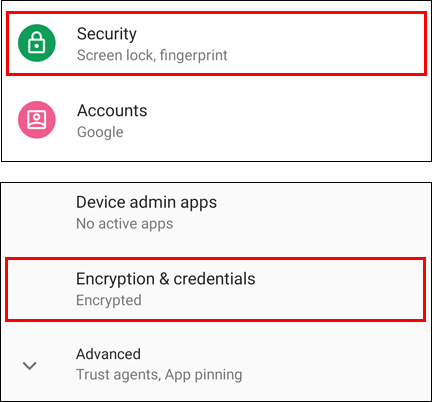
-
Tap [Install a certificate] - [Wi-Fi certificate].
※Some models may display [WLAN certificate]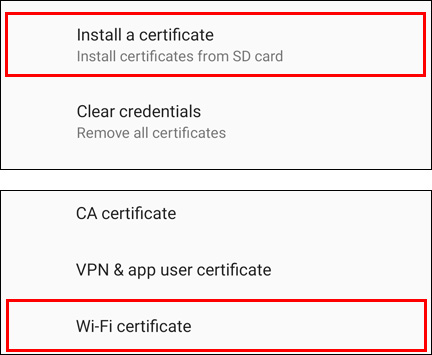
-
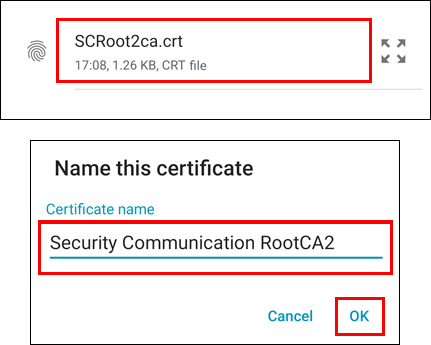
Tap the certificate(SCRoot2ca.crt) you downloaded.
In [Name the certificate] window, enter "Security Communication RootCA2" for [Certificate name:] .
Tap [OK].
Last-Modified: March 24, 2026
The content ends at this position.