







Unauthenticated connection settings(macOS 15 Sequoia)
Unauthenticated connection settings(macOS 15 Sequoia)
Below is how to set it up using the standard macOS functions.
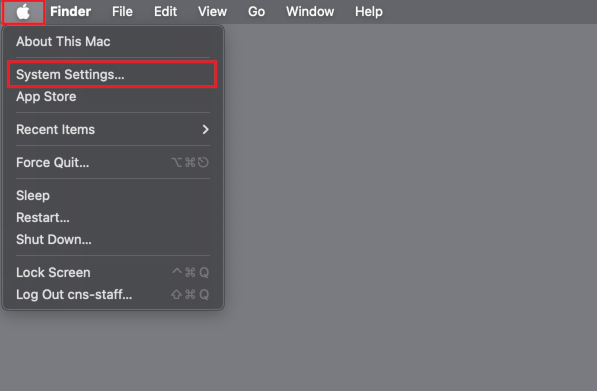
- Select [System Setting] from the Apple menu in the upper right corner of the screen.
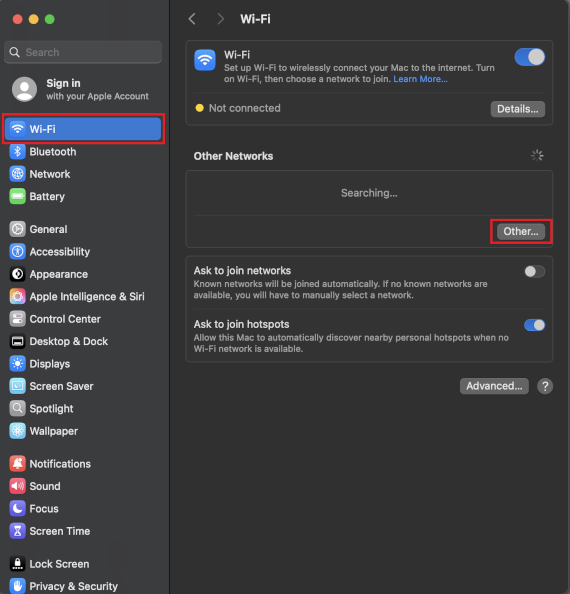
- Click on [Wi-Fi] and select [Other...].
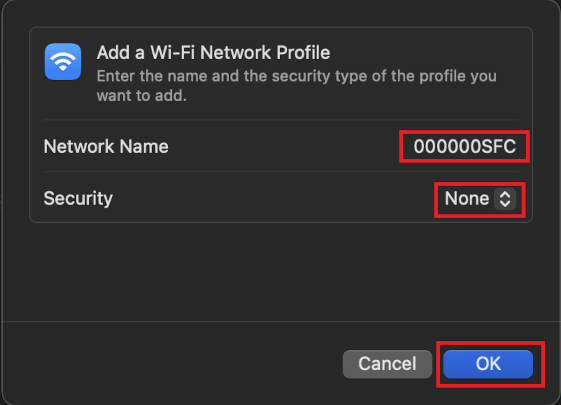
- Select Network Name: [000000SFC], Security: [None], and click [OK].
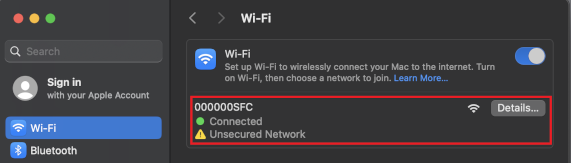
- When [Connected] is displayed, the setup is complete.
Last-Modified: August 5, 2025
The content ends at this position.