







- Top >
CNS3 connection settings for Windows10
CNS3 connection settings for Windows10
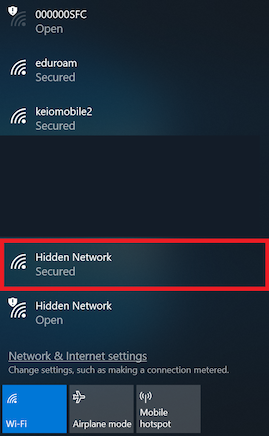
- Click [Hidden Network(Secured)] .
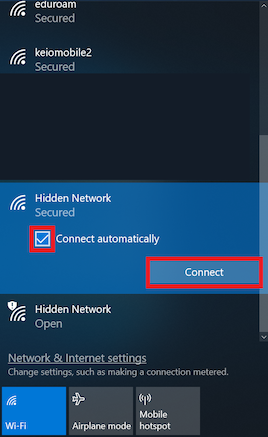
- Check "Connect Automatically" and click "Connect".
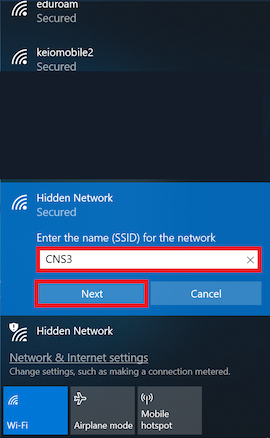
- Enter "CNS3" in the "Enter the name (SSID) for the network" filed and then click "Next".
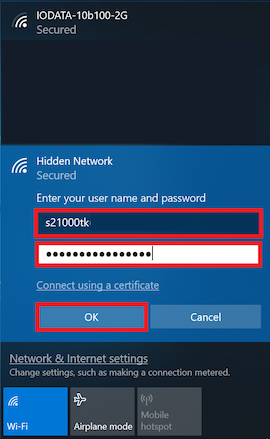
- Enter "CNS Login Name" for User Name and "PAEP Password" for Password, and click "OK".
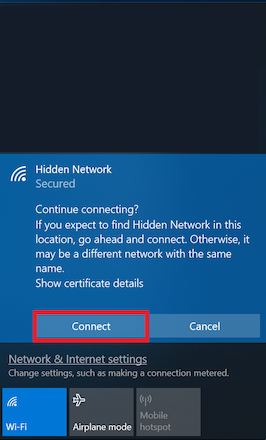
- In "Conitune connecting?", click "Connect".
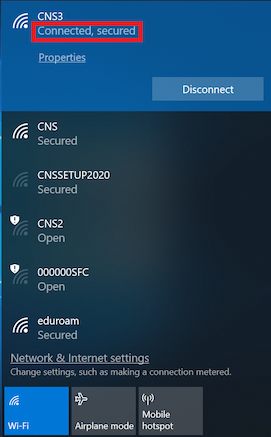
- Make sure you are connected to CNS3.
Last-Modified: February 22, 2021
The content ends at this position.