







How to Check Your CPU Architecture
How to Check Your CPU Architecture
Computer CPUs primarily feature the following design types (architectures):
- x64 (64-bit): Used in most standard Windows PCs and Intel-based Macs (such as Core i5/i7)
- x32 (32-bit/x86): Mainly used in older Windows PCs
- ARM: Features low power consumption and high efficiency, used in Macs (M-series) and some Windows PCs
If you are unsure which file to select when downloading an application, please follow the steps below to check your system environment.
How to Check (Windows)
-
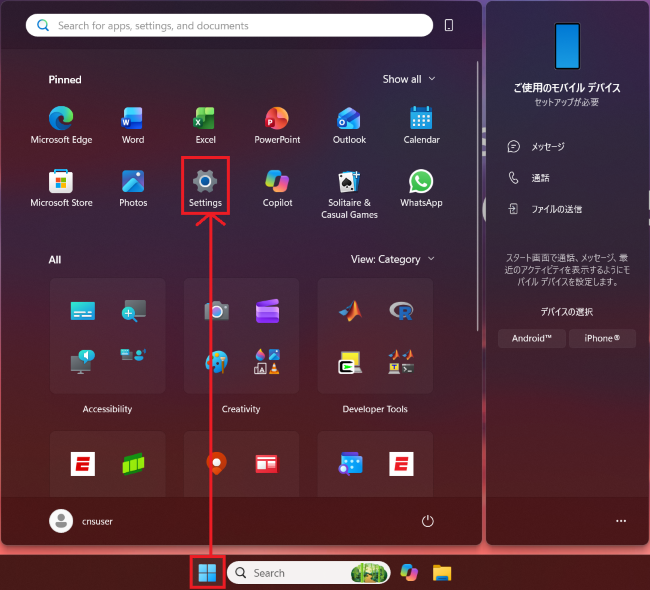
Click [Start] → [Settings].
-
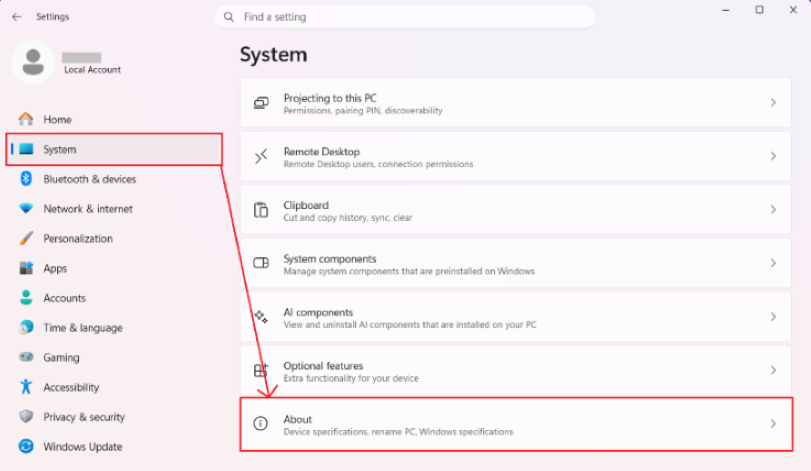
Click [System] → [About].
-
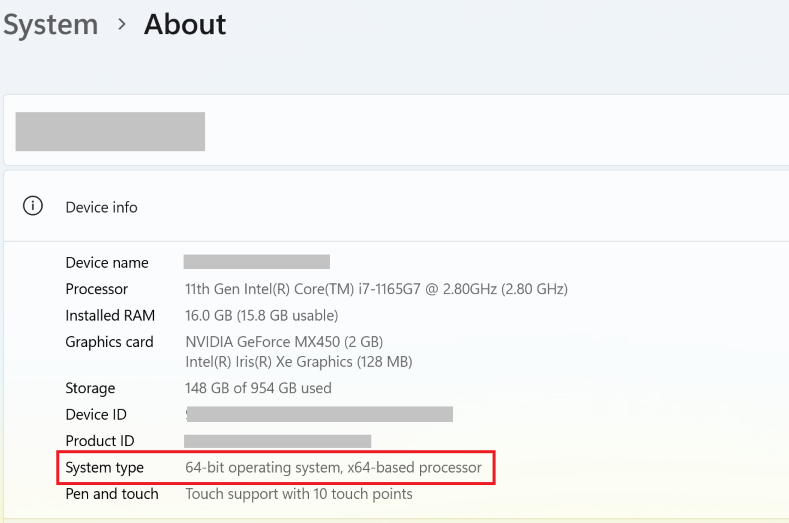
Check the [System type] item.
・x64-based processor : x64 architecture
・x86-based processor : x86 (32-bit) architecture
・ARM-based processor : ARM architecture
How to Check (macOS)
-
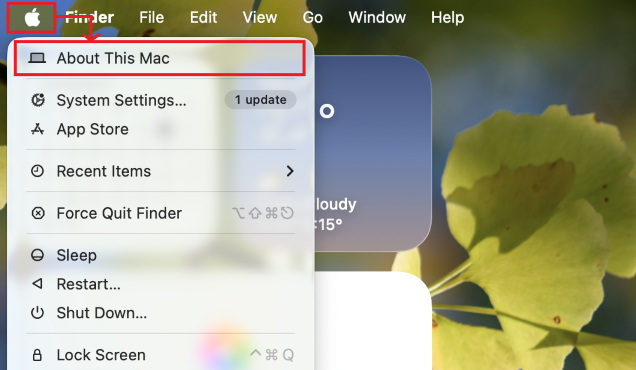
Click [Apple menu] → [About This Mac].
-
Check the [Chip] or [Processor] item.
・Apple M1–M6 : ARM architecture
・Intel Core i5 / i7, etc. : x64 architecture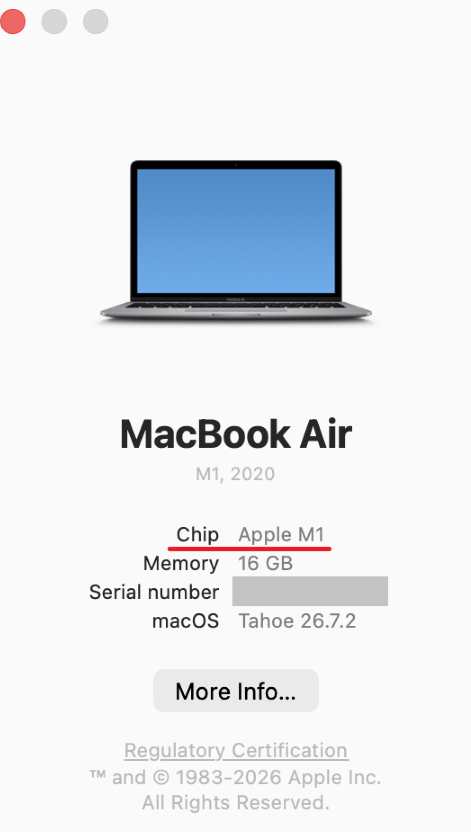
Last-Modified: November 9, 2026
The content ends at this position.