







How to check a student's My Account page
My Account Page
- Log in to keio.jp.
-
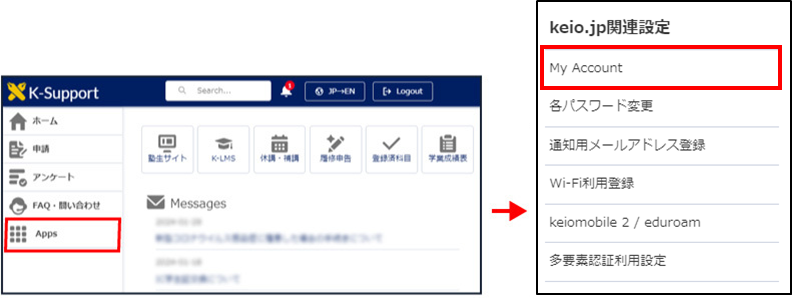
The K-Support screen will appear. Click "My Account" in the keio.jp related settings with the mouse over "Apps" in the left menu.
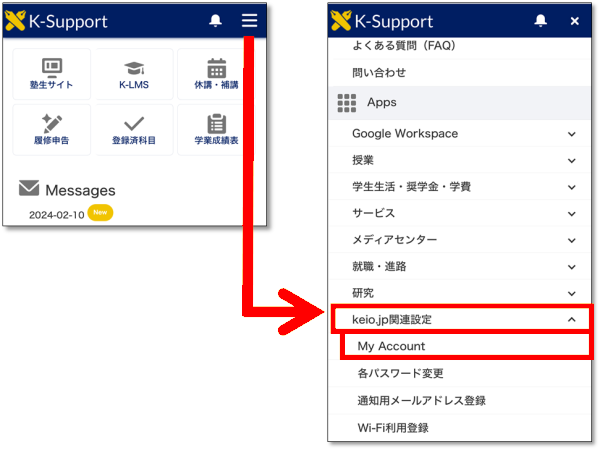
For smartphones, touch the hamburger menu in the upper right corner and touch "keio.jp related settings" from the menu displayed. Touch "My Accont".
A. Your Account
The Account shows your Keio ID and ITC Account (if you have).
i.g. keiotaro@keio.jp
ITC Account is indicated only for undergraduate students (Full-time) excluding SFC students.
Last-Modified: August 26, 2026
The content ends at this position.