





Becky! 2.X (IMAP4)
How to use IMAP4 for Becky! 2.x
This is a sample setting by using Becky! 2.83.02.
Mail sending and receiving setting
- Click [File] from the menu bar, and then click [Create New Mailbox] from [Mailbox].。
Mailbox Name Any name you like Receiving Protocol Select IMAP4rev1
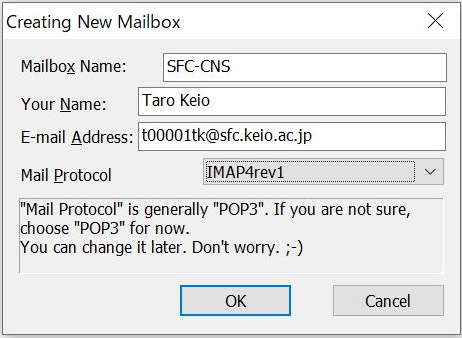
- Set Mailbox.
Name Your Name Email address Your Email Address IMAP Server(Receiving) imap.sfc.keio.ac.jp Put a check in the checkbox of [IMAPS]. SMTP Server(Transmitting) smtp.sfc.keio.ac.jp Put a check in the checkbox of [SMTPS]. User ID Your SFC-CNS login name Password IMAP/SMTP-AUTH Password Authentication Select Standard 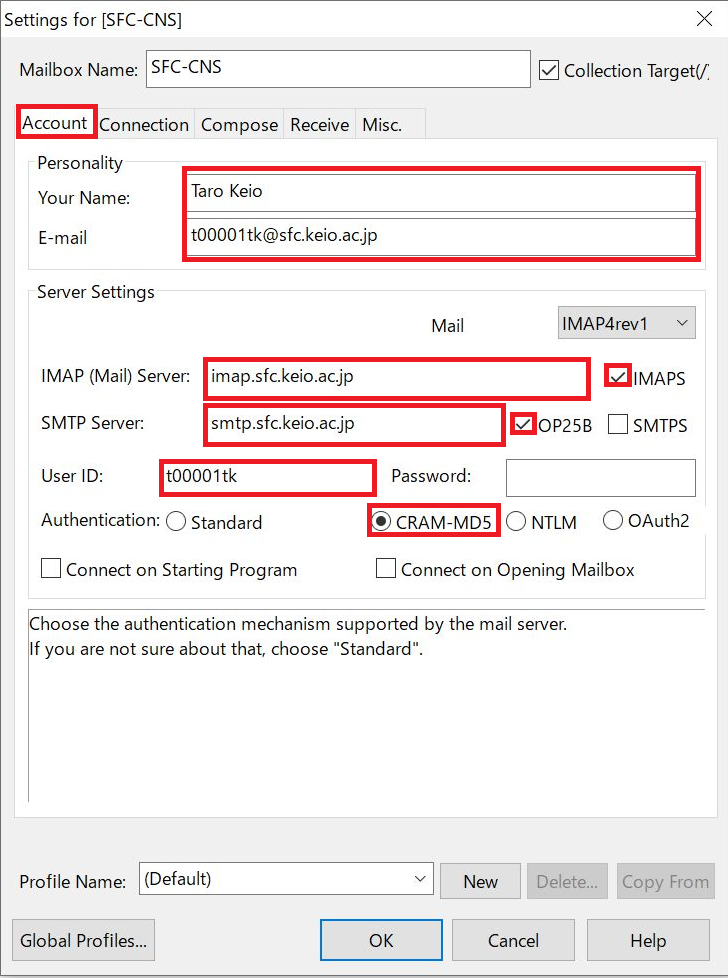
-
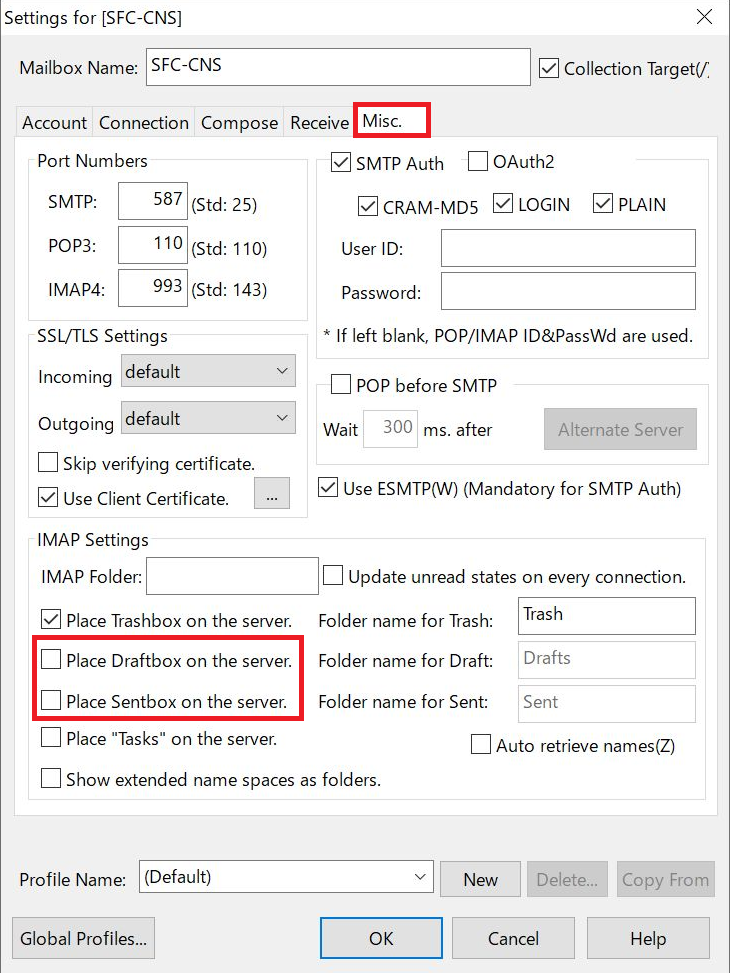
Trashbox is placed on the server as default setting. If you want to place Draftbox and Sandbox on the server, put a check in the checkbox.
- Connect to IMAP server
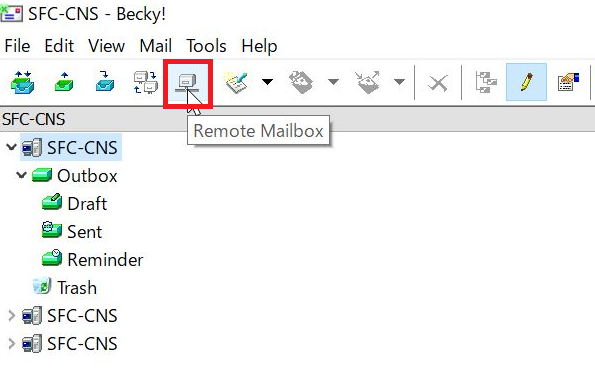
- Select the mailbox and click [Remote mailbox] in the tool bar.
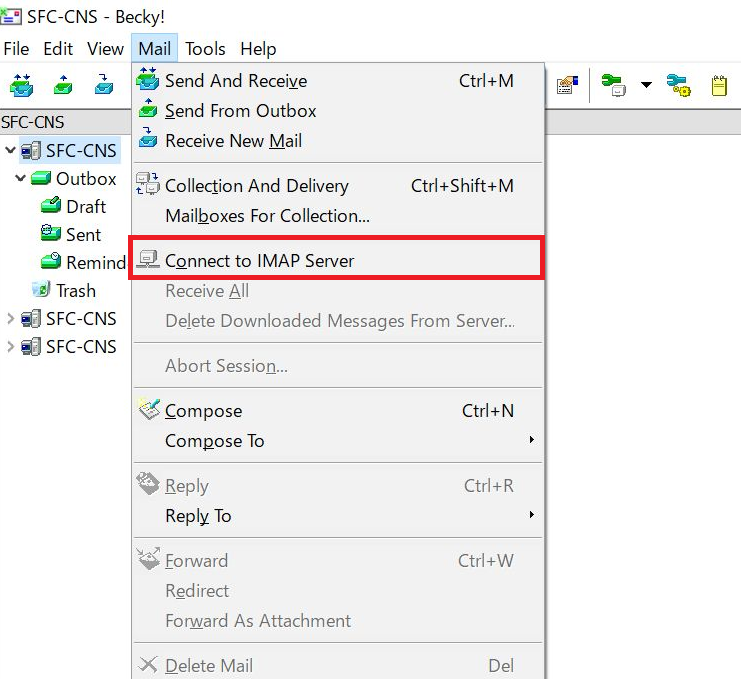
- Or click [Connect to IMAP server] from [Mail] in the menu bar.
- Select the mailbox and click [Remote mailbox] in the tool bar.
How to read IMAP4 mail offline.
Related: About IMAP4(WebMail) service
Last-Modified: June 25, 2026
The content ends at this position.